
Introducing View: The Mobile App for Monitoring Dispensary Performance on the Go
Originally published May 29th, 2020 for Flowhub (Written without the use of AI)
The world is mobile. We are used to checking email, catching up on social media, managing finances, ordering dinner, and doing just about everything in our lives through our mobile devices. Running your cannabis dispensary should be no different.
That’s why we’re excited to launch View™, a mobile app that allows dispensary owners and managers to monitor store performance and make data-driven business decisions from anywhere.
What is the View app?
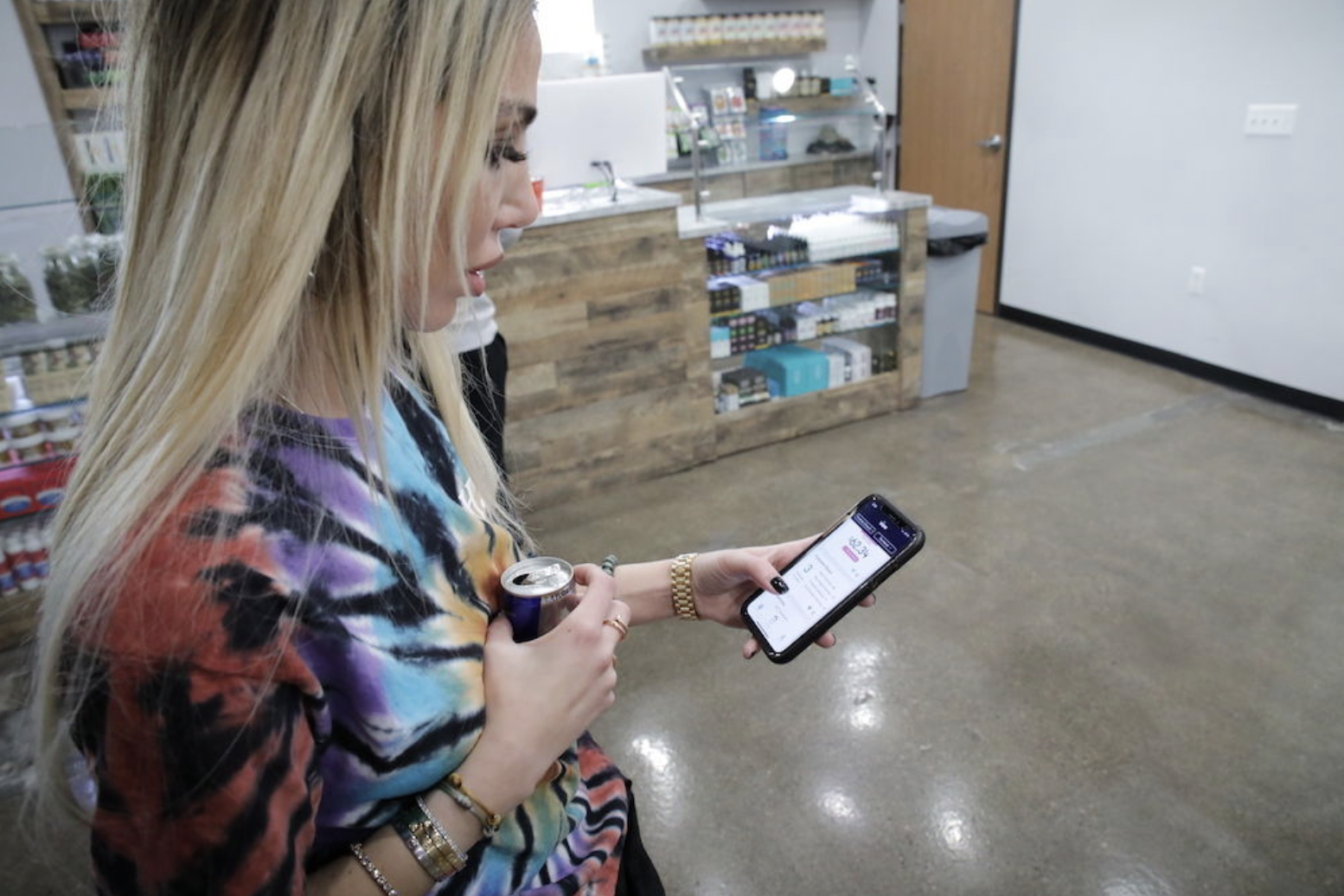
View allows you to view your dispensary’s data through real-time dashboards, built into a mobile application for your personal iOS or Android phone.The easy-to-read visualizations of your stores’ performance means you can scroll, scan, and scrutinize quickly from anywhere in the world. And making data easily accessible by all stakeholders ensures that successes are celebrated, shortcomings are analyzed, and ideas are generated.
Let’s face it, as a busy owner or manager, you’re not in the store at all hours. You need to be able to check in on performance, staffing, wait times, sales, and budtender performance at a moment’s notice. No more calling the store, texting your staff, or having to log into your laptop to get the information you need.
As you expand and grow, maybe to multiple locations, having data at your fingertips is a game changer.
"I look at it probably 50 times a day. I love the fact that I can look at where my sales are and I can look at today, I can look at a week, I can look at the month. I can see how many people are in the queue. And I can see my average sales and I can see what my dollar is in at that very moment."
– Marla Wald, Retail Chapter Director at Common Citizen
How it works
View is a mobile application that syncs in real time, so you can access your most important data from the palm of your hand. You can download View on your personal smartphone from the Apple Store or Google Play Store.
The first iteration of View includes data visualizations and easy access to the key performance indicators you care about most: sales, employees, and inventory.
View data insights
Sales data: Total sales, sales by product category, average order size, and number of transactions.
Employee data: Top-selling budtenders by day, week, or month.
Inventory data: Inventory discrepancies, most popular products, and most popular products by vendor.
For owners and executives, View gives you a big picture look at revenue and business health, including sales across stores and sales compared to previous periods.
For general managers, compliance officers, inventory managers, and shift leads, View gives more granular information to make operational decisions. For example, the number of customers in a store, the demographics of those customers, the average wait time, what products are selling, budtender performance, inventory discrepancies by room, and how much of a specific product type was sold last week.
Watch as Marla Wald, Regional Chapter Director of Common Citizen (MI), describes how View has impacted her business:
View features
Multi-store filters - whether you have one store or many, you can quickly toggle between all of your locations.
Upward/downward trends - instead of just seeing the numbers, you can see whether this is an increase or decrease compared to the previous period.
Date filters - toggle between Today, This week, or This month to see the exact data you’re looking for.
User-generated feedback loop - immediately tell us what you love about the app, or if something isn’t working as expected. Feedback loops means the product is always up to your expectations and future enhancements will include the functionality you need to run a successful dispensary.
Follow - “star” a card to follow that data point, then simply select “Following” in the bottom navigation of the app to always see the data that's most important to you.
Share - quickly share data points with others in your organization from within the app.
Learn more
If you’re currently a customer and would like to get started with View, contact us.
If you’re interested in learning more about how View empowers modern dispensary owners and managers schedule a demo.
How to Choose the Right Cannabis POS Hardware
Published on September 2nd, 2020 for Flowhub (Written without the use of AI)
There are many elements to running a successful and efficient dispensary retail operation. Just as the foundation must be poured before putting up the walls on a new house, some elements are crucial to get right before others.
One of those key elements is choosing the right technology for your dispensary. This includes not only software, but also the cannabis dispensary hardware it runs on. Whether you are building a brand new business or upgrading your current technology, hardware is a foundational factor to consider.
In this post, you'll learn best practices and tips for choosing, buying, installing, and maintaining hardware for your cannabis dispensary operation.
Choosing hardware for new cannabis retailers
Here are questions new cannabis businesses should consider when exploring hardware options:
What are the technical requirements for my desired setup?
Before buying any hardware, first figure out the system requirements for the point-of-sale software you plan to use and how many checkout terminals you need.The software tools you choose will have specific requirements for the hardware they are able to run on.
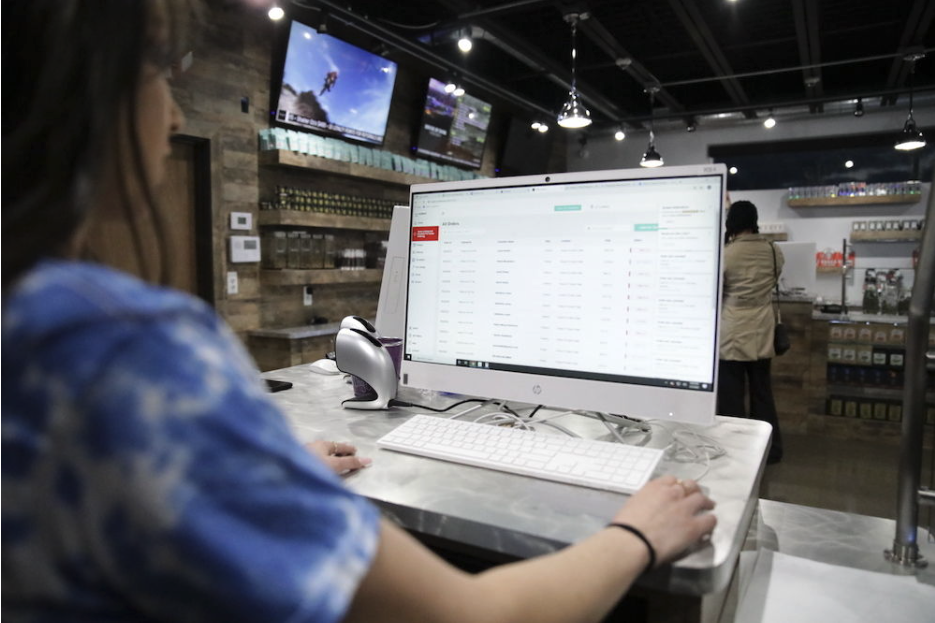
The number of pos terminals will also influence the number of routers you have in store, as well as the internet speed you need to run fast and fluid transactions.Take into consideration other peripherals you may need for each pos terminal, such as a keyboard and mouse. In most cases, you will need one of each item below to complete one pos terminal:
Computer (all-in-one or separate computer and monitor)
Label printer
Receipt printer
Cash drawer
Scanner
What kind of customer experience am I looking to create?
If you’re early in the process of building your business, you’ll be making a lot of decisions around the overall brand design and feel of your dispensary from the moment a customer walks through the door to the time they leave.
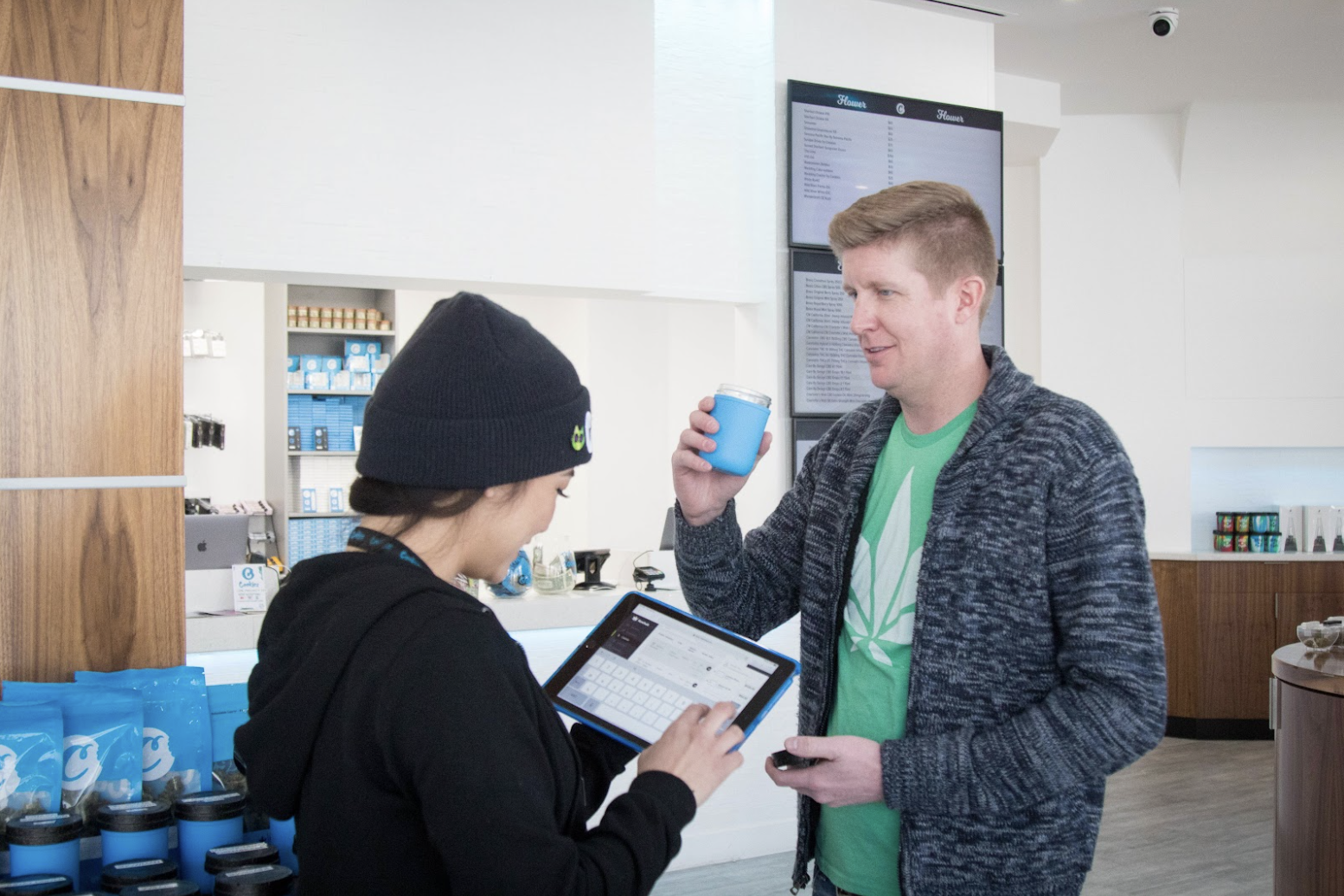
Your dispensary layout will play into the hardware technology you choose. How will customers flow from check in to check out? Are you looking to create a retail experience that's familiar and modern, like an Apple store? Or are you more concerned with keeping inventory safe and secure? Once you know what you want, it will be significantly easier to narrow down what hardware will fit that vision.
What are the compliance requirements for my location?
Cannabis regulation influences everything when it comes to the decisions about your dispensary, even hardware. Some legal cannabis markets require digital age verification scanner for dispensaries and scanning IDs at check in or specific NTEP-certified scales for weighing bulk flower.
Making sure you’ll meet dispensary compliance requirements for your product labels and receipts is another item high on the list to consider when choosing the right printers for your store.
Upgrading hardware for existing cannabis retailers
If you are looking to increase efficiencies by replacing your current software tool stack, including POS system and integrated solutions, the first step is to evaluate your current hardware setup.

Here are some questions you should ask to properly scope your current situation, and prep for your decision-making process:
Will my current hardware work with my new point-of-sale software?
Many dispensary point-of-sale systems require you to use specific hardware, while others are more flexible.
If you go with a software vendor that locks you into specific hardware, not only can it be a costly investment upfront, but you may not be able to use that hardware again if you switch to another cannabis POS system down the road.Another risk is having to change your current workflows or physical layout to accommodate the transition to a new one-size-fits all software provider, though this may be one of your objectives in switching.
What is the condition of my current hardware?
If your store has a high volume of daily transactions, has hardware that is showing signs of wear and tear, or hardware that is more than 3-5 years old, it might be time to replace your current setup regardless of what software vendor you choose.
Hardware that frequently breaks down, or has slow, outdated firmware can put unnecessary strain on your daily operations, staff, and ultimately your customer’s experience.
What kind of aesthetic and customer experience do I want?
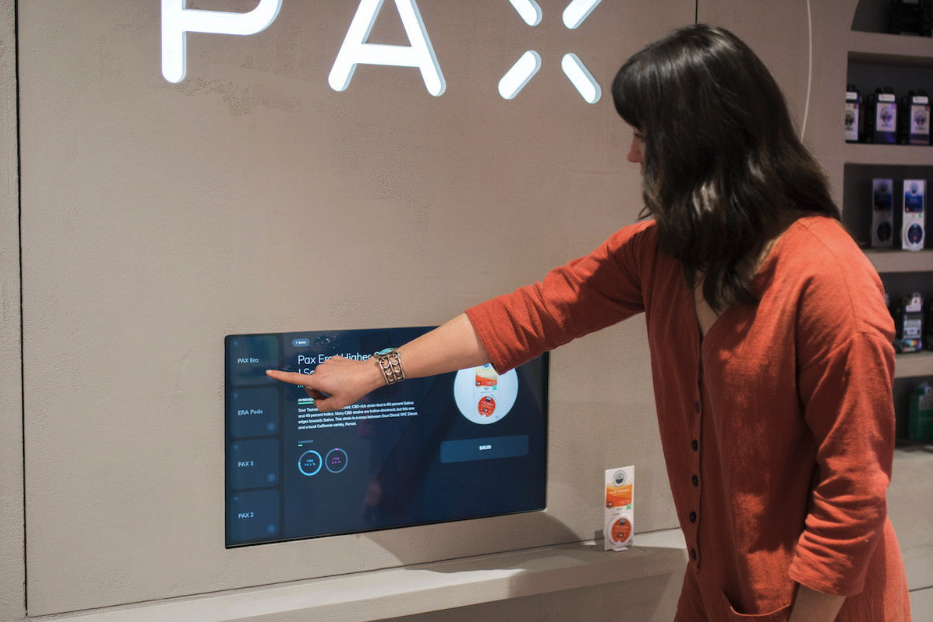
Deciding on a new tech stack might be an opportunity to shake up the way your current operation runs. Do you want to want to modernize your customer experience with mobile, roaming budtenders or self-serve educational kiosks?
Maybe you want to increase efficiency and look for technology that can help reduce your transaction times. Or are you exploring ways to evolve and offer your customers more options, like setting up dispensary curbside pickup?
Perhaps you’d just like to stand out from the cannabis competition and replace bulky hardware with a more modern, minimalist look. Our suggestion is to decide on the most important goals for these changes, then work backward to find the right hardware to meet those goals.
Finding the right hardware vendors
Once you’ve explored the right hardware options for your store, the next step is to find that hardware at the best value. When it comes to buying your hardware, not all sellers will give you the best bang for your buck.Here are a few things to consider when choosing the best hardware vender to buy from:
Can I get in touch with real humans to answer my questions?
If you’re buying from big box stores or e-commerce sites that don’t specialize exclusively in hardware, like Amazon, you likely won’t have the advantage of having a high level of customer service during your buying process.If you have questions about machine specs, or want support in making the right hardware decisions, we recommend buying from a reseller that specializes in business-to-business (B2B) hardware sales.
Do I have the option of buying an extended warranty?
Most hardware items that you buy will have a manufacturer's warranty of one year or more. However, if your equipment breaks down after that time, you’ll have few options other than buying new hardware.
If you go with a dedicated hardware reseller, make sure to ask about extended warranties that you can take advantage of to save costs in the long term.
Are there financing options?
Buying all brand new hardware can be a huge overhead cost, especially for a business that is just starting up.
Another advantage of buying from a reseller that only focuses on B2B hardware is that they may be able to offer you financing options to pay off the cost over a period of time. This can provide big relief and help ensure you build the store of your dreams without taking on a huge upfront financial risk.
Installing, maintaining, and troubleshooting hardware
Most of us are not IT experts, and will need a little extra help putting everything together. This includes initial hardware installation, ongoing maintenance and troubleshooting when issues arise.
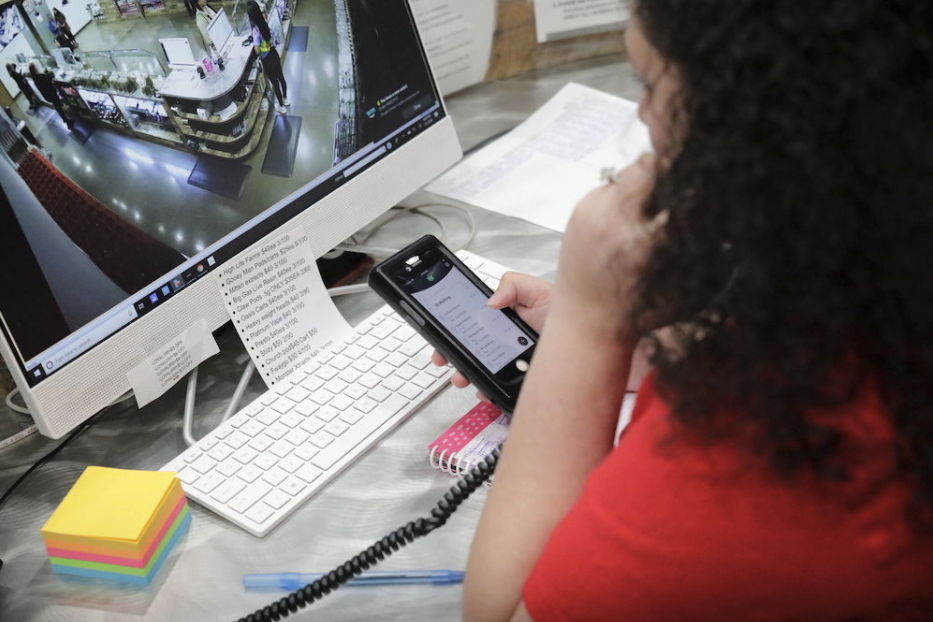
If your dispensary operation has two or more stores, it may be worth investing in a full-time IT professional to manage your technology infrastructure across your locations. This person would be your go-to for all things tech — hardware, software, and partners — from day-to-day to upgrading or enhancing your tools or processes.
If you are a smaller business or determine that paying for an extra salary isn’t realistic, you still have options. Our preferred hardware partner, Barcodes, offers an annual IT service package which provides your team with unlimited phone and email support.
If Barcodes isn’t the right fit for you, we still recommend investing in some level of IT support to make sure that when there are inevitable human errors, or hardware breakdowns during operating hours, you lose as little time and revenue as possible and get it fixed quickly.
Good luck!
Once you decide on your dispensary hardware and software, you can move to the next steps of operational efficiency, like building your dispensary standard operating procedures, hiring the right staff, and figuring out how to manage your inventory.
Standardize Dispensary Inventory and Pricing with SellTreez Enterprise Product Management
Published November 5, 2021 for Treez (Written without the use of AI)
Why is standardization important?
As the cannabis industry matures, increased competition requires increased sophistication in your operation. There are four typical phases in any industry's lifecycle: introduction, growth, maturity, and decline. Although this life cycle varies market by market, the cannabis industry is beginning to move from the growth to the maturity phase. Maturity in the cannabis industry leads with one major factor, consolidation through mergers and acquisitions. As businesses consolidate across the supply chain, dispensaries that position themselves to scale will win in the end.To scale your business effectively, you must maximize the skills of your human capital by providing standardization and automation wherever possible. SellTreez, and specifically SellTreez Enterprise Product Management, gives you the tools you need to effectively execute and manage your inventory and pricing strategy to uplevel your growth and mature your retail cannabis operation.
What is SellTreez EPM?
SellTreez is the essential tool of the Treez platform designed for dispensary and retail cannabis stores to run day-to-day inventory management operations smoothly and successfully. Today, we will be talking about Enterprise Product Management within SellTreez and the features baked in to scale retail cannabis operations. We will refer to SellTreez Enterprise Management in this article as SellTreez EPM. There are two core objectives built into the workflows of SellTreez EPM. The first is increasing the efficiency of your product and inventory management in one store or across multiple locations. The second is to standardize and easily manage your pricing across multiple dispensary locations. Let's take a deep dive into each of these core objectives and review how SellTreez EPM accomplishes each.
Unified Product Management
The typical cannabis dispensary operation has thousands of SKUs to manage, just in one store. SellTreez EPM gives you the ability to manage all these SKUs in one centralized and standardized place.
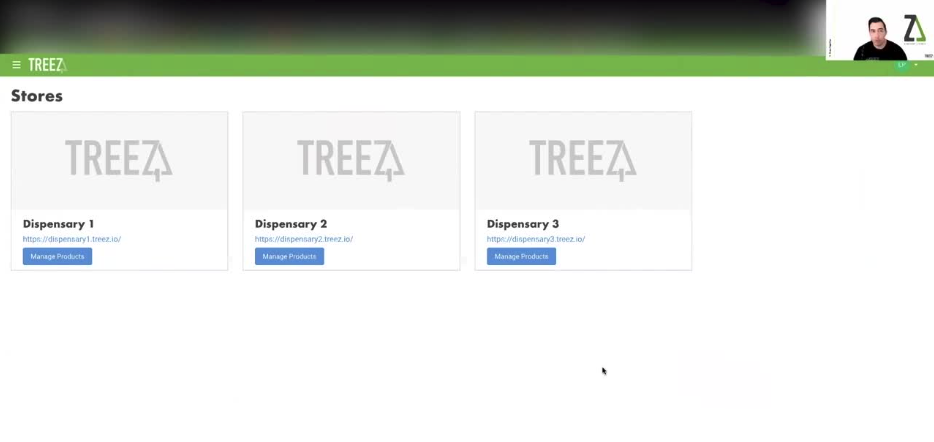
Workflow: Manage inventory across locations
SellTreez EPM allows you to see all of your locations from one central view and manage product inventory from one place through a standardized product catalog.
This robust product catalog lets you see inventory details front-and-center like brand information, product type, subtype, SKU, price, and when the product was last updated in the central catalog. For each inventory item, you'll be able to see which stores are carrying that item and the price listed for that item in each store. Additionally, you're able to filter and search products by brand, subtype, classification, tags, flavors, effects, ingredients, activated vs. deactivated products, and any other general information associated with your product data.
You can also easily edit the information for your products universally across all stores, including tagging the products with attributes, adding images, and changing pricing. In this view, you can also see the product's history of product changes in your catalog and when they were made.
Need to export your product catalog data? The SellTreez EPM central catalog also can download all of your products into a succinct CSV export.
Select "view product" in the central catalog to see what a particular product will look like on your website or e-commerce platform.
Workflow: Merge products
If you end up having duplicate products, it's easy to consolidate. With the merge products feature, you're able to take two identical products, easily evaluate the information for both of them side by side, and keep the most relevant data. SellTreez EPM keeps your data clean and tidy this way, making life easier for both your employees and your customers.
Workflow: Linking to BrandTreez
BrandTreez is another product within the Treez platform designed to connect inventory data directly from cannabis brands to cannabis retailers. Within BrandTreez, cannabis brands can upload comprehensive information for each SKU to their own central catalog. SellTreez EPM then gives you the ability as a dispensary to link and intake the product data from their catalog to your own directly. The benefits of this feature save your staff time and effort in adding new products to your catalog. Linking products directly from BrandTreez also builds consumer confidence with clean, professional e-commerce menus.
Keeping your data clean
SellTreez EPM is also built with optional safeguards to protect your data from being manipulated. For example, you can set up your permissions so that only folks who have access to the universal central catalog will be able to change product details, prices, pictures, and all other information. This safeguard ensures that your data remains clean and manageable.
Centralized Pricing Management
As a cannabis retailer, your pricing strategy is key to your success. SellTreez EPM gives you flexible enterprise-level pricing tools to manage pricing for all of your products across multiple locations.
Workflow - Flat and Tiered Pricing
You can edit, reassign, convert, build, and deactivate custom pricing tiers in SellTreez EPM. On the Pricing Tier Management page, you can see a complete list view of all your pricing tiers, which are active or inactive, which locations they are active in, and whether they are dependent on weight or units.
Pricing tiers are assigned at the store level or assigned across the entire organization. Tiers assigned at the organization level will be made available across all products in your universal product catalog.
Because pricing tiers can also be assigned to one particular store, you can test out a new pricing tier at one location and then later convert that tier to become available to the entire organization and all stores if it is successful. This flexibility makes it easy to bulk edit pricing for many products at once in your central catalog for all locations.
Takeaways
If you are a multi-state operator or plan to grow into multiple locations it is crucial to have foundational software tools that facilitate enterprise-level management of your inventory and pricing.
SellTreez Enterprise Product Management is designed to just that, as well as connect your retail operations to cannabis brands directly through BrandTreez.
If you're ready to standardize and streamline your inventory and pricing management for your dispensary, book a demo to see SellTreez EPM today.
ABM Best Practices for Marketers
Published August 4th, 2022 for TechTarget (Written without the use of AI)
Account-based marketing efforts see better results when Priority Engine is incorporated into the overall strategy and execution, making it one of the most common use cases. In fact, 67% of Priority Engine customers use it to enhance their ABM strategy. We reached out to some of our highest-performing Marketers who leverage Priority Engine for ABM and compiled key best practices they use to see success.
Align your target account lists to your GTM strategy
A good ABM strategy starts with a clear definition of your target accounts to execute against. We recommend working with your TechTarget team to create Priority Engine account lists based on your GTM strategy, aligned to key business units, key topics or areas of interest, or a combination of these elements. To streamline this process, if you already have target account lists prepared, share these lists with your TechTarget representative so that they can be uploaded into Priority Engine directly.
Pro tip: To continue optimizing your ABM account lists, meet with your TechTarget representative regularly to update them on any changes in priorities and focuses of your business units, areas of interest or go-to-market strategy to realign your target account lists.
Set up attribution to ensure successful tracking and ROI measurement
Marketing and Sales organizations can often become siloed in their data reporting and tracking. Priority Engine users have seen the most success in their ABM program when tracking is set up for the entire lifecycle of the lead, not just to the time the lead becomes an MQL. To properly measure the success of Priority Engine leads in your ABM program, set up attribution across all systems from the time a lead is created in your MAP or CRM to when an opportunity is closed-won. For more advice about setting up effective attribution, read our lead management best practices.
Setting up proper attribution will give you greater insight into what is and isn't working in your ABM program. Accurate attribution paints a full picture of the customer journey and how a target account engaged with your brand, from awareness to consideration to a final purchase. Pro tip: After using your attribution data to map a successful journey of winning a target account, document the steps from awareness to consideration to a decision over a timeline. Share this visual with your Sales and Marketing team to inform them of the touch points and tactics that have the greatest impact in closing a deal.
Determine your ideal export strategy
Before you begin exporting prospects from Priority Engine, work with your dedicated TechTarget representative to develop the strategy that best suits your organization. Your export strategy will depend on several factors, including your list priorities, your Priority Engine export cap and other GTM-specific factors. The goal of forming an export strategy is to hone in on the right flow of leads into your funnel and consistently feed your Sellers. Your strategy will inform the cadence, volume and priority of your exports from Priority Engine. Focus on addressing your most important business units first. This will be critical in informing future campaign messaging, cadence, tactics and forecasting your pipeline. Pro tip: Review and optimize your export strategy every few months. Work with your TechTarget representative to make sure you're on track and that your list priorities are up-to-date and accurately reflected in Priority Engine.
Determine the appropriate cadence for your nurture strategy
Although Priority Engine gives you access to the most active tech buyers, they may not be ready to buy immediately. Create personalized ABM nurture sequences to engage leads from your Priority Engine exports over a time period and cadence that aligns with your buying cycle. If your buying cycle is fast-paced, turn up the volume of emails over a shorter time period. If your buying cycle is longer, create a “drip” nurture over a longer time period. TechTarget data reveals that it typically takes 27 interactions on average to complete a successful buy cycle, and includes the first three stages of a customer lifecycle.
Surround the entire buying team
Research shows that 60% percent of B2B tech purchases involve four or more buyers. As Terry Flaherty, VP and Principal Analyst of Forrester, said, “Seeing signals from multiple buying group members has a dramatically higher propensity to buy.” Restricting your ABM marketing outreach to specific titles will also restrict your success. The most effective campaigns to Priority Engine active leads target the entire Buying Team, which is visible to you for any target account directly in Priority Engine. You never know how an individual contributor on the team of your prospect account will influence upper-level management in researching and evaluating your solution, so don't exclude them.
Create a more personalized experience when engaging prospects at target accounts
The most engaging ABM nurture tracks employ messaging that addresses a relevant need, pain point, industry trend or competitor activity to the prospect account, and creates a personalized experience. This approach makes each touch more pertinent to your buyer and will ultimately increase your response rates. Develop personalized messaging for prospects at your accounts based on their Top Interests. Create nurture streams based on their entry points.Here is a quick example of email copy that uses entry points from Top Interests to create a personalized message about solving a pain point better than a competitor:
Subject line: {Prospect's Company} vs. {Entry Point - Competing Vendor): See how we stack up
"Hello {first name},We've been working closely with companies similar to {Prospect's Company} to provide alternative options for {Entry Point}. Companies that have switched to {Your Company} for {Entry Point} typically see {Success Metric}, and we're confident that {Prospect's Company} could realize the same success with our solution.{Offer and CTA}"For more tips on ABM outreach emails, check out our article on How to Write Emails Tech Buyers Actually Want to Read.
Take advantage of all features and functionality
There are more people involved in buying teams than ever before, so it's important to take advantage of all that Priority Engine has to offer to help you uncover, surround and break in to the buying team at your target accounts.
Inbound Converter allows you to understand the activities occurring on your website and uncovers the members on the buying team that you should be reaching out to while they are active. Use website activity to create a nurture track and have sellers reach out directly.
Prospect Match enables sellers to identify new prospects at their target accounts that they don't already have in their Salesforce instance. Reps can add new prospects into Salesforce and push to easily add them into sales outreach cadences so they never miss an potential in at the account.
Lead Generationsupplies your team with the leads at your target accounts who are actively engaging with your content published on the TechTarget network. With the Priority Engine Lead Accelerator, view these leads directly in Priority Engine to help see the entire picture, identify champions at your accounts and prioritize seller outreach efforts.
To learn more marketing tips and best practices, read our articles here. For additional guidance or questions regarding marketing best practices, contact your Customer Success Manager.
Best Practices to Enable ABM Sellers
It All Begins Here
Published August 2022 for TechTarget (Written without the use of AI)
Account-based marketing initiatives see better results when Priority Engine is incorporated into the overall strategy and execution. Sales teams that use Priority Engine for ABM efforts have increased their meeting set rate by as much as 14%, reduced their sales cycle by as much as 50%, and increased revenue per deal by as much as 20%. We spoke with leaders of top-performing sales teams to learn how they use Priority Engine to enhance their ABM strategy and see success. Read on to learn some key takeaways.
Reach out to all prospects at target accounts
There are more people involved in a buying decision than ever before, and oftentimes the primary buyer does not get involved until the very end. IT businesses rely on the research and guidance from the entire buying team, not just traditional decision-maker personas.Priority Engine users that engage the entire buying team see more success breaking into target accounts. By surrounding the account and reaching all members actively researching helps to expand influence. It's important to remember title or persona restricting will result in missing many of the active researchers who are likely involved in the purchase decision. Don’t limit rep outreach to prospects researching ALL topics relevant to your organization - Just because they aren't researching all five relevant topics doesn't mean they aren't interested in your solutions.
Pro tip: Assign BDRs to follow up on every prospect that moves into your CRM - Don’t discount the influence of any interaction within the buying team at your target accounts.
Personalize outreach using prospect and account-level intent
Sellers can build relationships and trust faster if the buyer perceives that they truly care about their needs and interests. Use Priority Engine's account-level insights to understand the target company’s firmographics, installed tech stack, what the account is doing on your website and top interests being researched across the account's buying team. Use prospect-level insights to understand the buying team member's most active research and engagement with your organization. It's always a best practice to tailor outreach to the specific prospect before making a call or sending an email. Try providing guidance on their topic interests in the content preference they prefer to assist during their pre-purchase research. This will help you maximize each touch and create a positive perception to better break in.
Enable reps across your sales force using resources available to you and your team
The most successful ABM efforts allow ample time for sales people to truly build rapport using intent data with their target accounts. For the best possible results, strategically assign each target account to a salesperson and then empower them with resources available to them. Your TechTarget team is here to help enable your sellers. Utilize the resources across Knowledge Base, and encourage reps to use tried and true tips on how to use intent data more effectively. Two great starting points for reps: Priority Engine Sales Playbook and Sales Best Practices articles.Leverage the User Activity Dashboard to understand where sellers are seeing success with Priority Engine or where they are falling short. Getting into a habit of understanding your team's activity is a great way to keep a pulse on how the team is doing. Try creating some healthy competition within your sales organization and run an incentivized contest to increase usage - Reward those with the highest usage scores! Pro tip: Leverage the sales training series for your new sellers or schedule session with your TechTarget Customer Success Representative for ongoing support.
For Salesforce users, take advantage of Prospect Match
If you have Salesforce as your CRM, we highly encourage increasing synchronicity between Priority Engine and Salesforce by taking advantage of Prospect Match. This feature allows sellers to quickly add new prospects and their data at target account into their Salesforce instance. Using Prospect Match in your day-to-day allows sellers to:
Identify which prospects are new to your Salesforce instance
Add your new prospects and their insights directly into Salesforce with one click
Access your prospects and their insights directly within Salesforce to work within your existing workflows
Create call lists in Salesforce and add prospects into your sales cadences and campaigns
Using Prospect Match for ABM selling will ensure sellers don't miss any key details needed to break in at your target accounts.Check out our article for tips on sellers using prospect match.To learn more sales tips and best practices, read more sales enablement and sales best practice articles here. For additional guidance or questions regarding sales best practices, contact your Customer Success Representative.
Complete Guide to Cannabis Payment Processing Solutions
It All Begins Here
Published January 25th, 2022 for Treez (Written without the use of AI)
Sifting through your options of payment processing solutions for your dispensary can be overwhelming and confusing. This blog will guide you with an overview of all of the cashless payment options available to cannabis dispensaries today, how they work, and how TreezPay can connect you with those options.
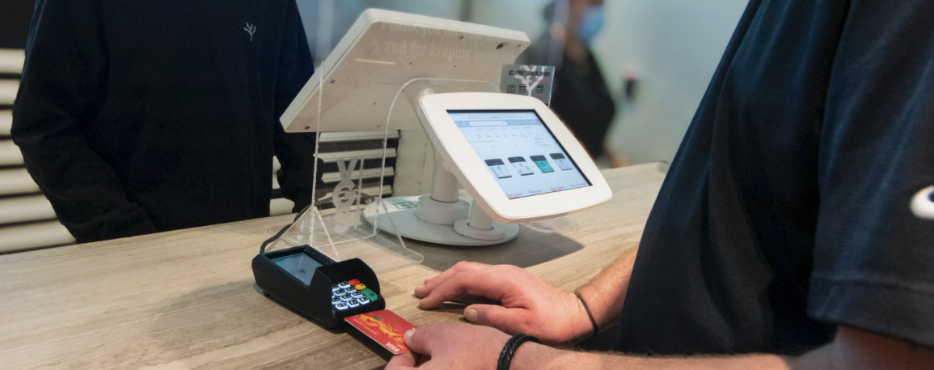
Moving toward a cashless society
As the world swiftly moves into a more digital era, the use of physical cash in our everyday lives has become less and less frequent. A survey performed by Travis Credit Union found that fewer than 16% of respondents said that they always carry cash, and that when Americans do have cash in their wallets, it only averaged to about $46 among all respondents. Data from Fundera reveals that a majority 80% of Americans preferred to pay for goods with credit or debit cards, and only 14% preferred to pay with cash. Their top reasons for using cards over cash were convenience, security of the transaction, and hygiene.
In industries across the board, small businesses now take the bulk of their revenue with cashless methods. According to a report by the Mercator Advisory Group, card payments accounted for an average of 50% of small business total sales, checks accounted for 30.1%, 10.3% for other payment methods, and only 36.4% of those sales were in cash.
The spread of Covid-19 in recent years has also caused major coin shortages, and has further pushed consumers to use less cash in buying goods and services.
The data doesn’t lie, commerce and consumer preferences, whether it be digital or in-person, are moving towards cashless convenience.

Contactless vs. cashless payments
First, let’s establish the difference between cashless and contactless payments. As the word suggests, cashless payments are payments that are made without the use of cash. These payment types include bank transfers, credit card payments, mobile payments and payments made with digital wallets.
Contactless payments are credit cards that use either near-field communication (NFC) or radio frequency identification (RFID). These technologies are built into most credit cards today, and work by waving the card over a reader to complete a transaction. Digital wallets can also be used for contactless payments.
Which payment processing solutions are available for cannabis purchases today?
Debit card payments are directly linked to a user's bank account and usually require a unique PIN (personal identification number) to complete a transaction. Funds for collecting debit card transactions are usually processed within 24 hours of the completion of a transaction.
Digital wallet payments are contactless payment methods that store your payment options such as debit or credit cards in your smartphone. Some digital wallets like Apple Pay and Google Pay use NFC technology, while others like Samsung Pay use MST (magnetic secure transmission) technology to communicate with card readers or payment processors. Not all digital wallets friendly to working with cannabis retailers, including Paypal.
ACH payments, also called EFT payments, use a financial network in the United States to transfer funds directly from one bank account to another without using paper checks, credit card networks or wire transfers. If you pay your bills electronically or receive direct deposits, it is most likely using the ACH network. Funds from ACH or EFT payments usually become available in 3 to 5 business days.
Cashless ATM payments also known as point-of-banking rely on the existing payment networks to pull funds from a debit or credit card using a four digit pin. The transaction works similarly to withdrawing funds from a physical ATM, but skips the step of actually pulling physical cash from a machine. The transaction shows up on the customers’ bank statement as an ATM withdrawal. Funds for cashless ATM transactions usually appear within 3 days. Although this has been a popular payment processing solution for dispensaries, there are potential fees and risks involved.
Cryptocurrency payments - use block chain technology to securely transfer traditional currency into digital currency. However, there is very little existing technology available to cannabis retailers to make it easy for their customers to pay for their purchase with crypto.
Which payment processing solutions are not currently available to cannabis retailers?
Credit card payments are not currently available to cannabis retailers due to the current classification of cannabis as a federal illegal substance. Because of this, the risk of penalization is simply too high for credit card processors like Visa, Mastercard and AMEX to work with any business directly producing or selling cannabis. Warning - if any company promises a solution to process credit card transactions for your dispensary, they are in all likelihood doing so fraudulently.

What are the pros and cons of each cashless payment processing solution?
Debit card payments
The use of debit cards are extremely popular among consumers, accounting for 28% of all payments in 2019 according to the Federal Reserve. Integrating the use of debit card transactions in your dispensary is incredibly valuable.
TreezPay customers using integrated PIN debit typically see an increase of $10 - $20 in ticket value per transaction.
PIN debit transactions also incur less in fees than other payment processing options. The fee for purchases made with PIN debit is a small percentage of the total transaction value. These fees are automatically passed on to the end consumer as an added benefit to your dispensary. It is also the fastest payment processing solution in terms of getting funds into your account, with a 24 hour turnaround time on average. Additionally, if a customer has a debit card loaded into their digital wallet, Treez Pay PIN debit terminals are also able to process contactless payments through a debit card. Another advantage with PIN debit is that you don’t have to make change for the transaction, like with a cashless ATM solution.
The only con of using debit payment processing at your dispensary is that the fees for a transaction over $100 can surpass other payment processing types.
However, TreezPay processing payment solutions do not have any exclusivity built into each product, so you’re able to combine PIN debit with other solutions.
Overall, this is one of the most convenient payment processing options you can offer in your dispensary to boost your revenue and facilitate a better customer experience.
ACH / EFT payments
ACH payments, also known as EFT payments, can be incredibly valuable in boosting your dispensary revenue, especially in terms of e-commerce. ACH payments connect to your online menu, and allow your customers to securely link a checking or savings account to pay for their transaction. Currently ACH payments work with the Treez e-commerce menus, Weedmaps, Jane, Tymber and others.
Because your customers are only limited by the funds existing in their account, orders placed online and paid for through ACH typically are $40 higher on average per transaction.
Another benefit of using ACH payments for your delivery and order ahead is that this solution does not require that you purchase additional hardware to work. ACH funds typically take about 3-5 days to deposit into your account.
The only downside to ACH payments currently is that this solution only works for your e-commerce experience and not in-store. However, we recommend combining ACH with other payment processing solution options, and is definitely a powerful and convenient solution to add to your tech stack.
Cashless ATM / point-of-banking payments
Cashless ATM transactions were the first alternative payment processing solution available to dispensaries and have been traditionally used for many at risk businesses. Although it is widely used for dispensaries, Visa issued a warning in December 2021 that the use of cashless ATM’s as a way to purchase goods and services without the direct use of cash is in violation of their policies. Although the announcement does not mention the use of cashless ATM in the cannabis industry specifically, and it is currently unclear how Visa will exactly enforce its rules around the use of cashless ATMs One drawback of using a cashless ATM are the fees. Fees per transaction of cashless ATM start at around $3 per transaction, however those can vary depending on the cashless ATM service provider. Additionally, transactions are rounded up to increments of 10, so if the total price of a ticket is $16, the transaction is rounded to $20. Many dispensaries give back the difference to customers in cash.
Funds usually become available from cashless ATM transactions within 72 hours.
Cashless ATMs have been widely used by many dispensary operations, and is still an option for cashless payments. However, due to the drawbacks of cashless ATM we recommend utilizing other payment processing solutions like PIN debit or ACH in parallel to your cashless ATM.
Which payment processing solution is best for my dispensary?
The best payment processing options for dispensaries today are PIN Debit and ACH. These solutions are the most reliable, safe, and have the lowest fees. The good news is that Treez Pay offers both of these options for your dispensary, and these solutions are integrated with our SellTreez point-of-sale solution to make your transactions as smooth, and efficient as possible. The integration between SellTreez and TreezPay products also significantly reduces errors when collecting payments, making it much easier on your accounting team to keep your books in check.
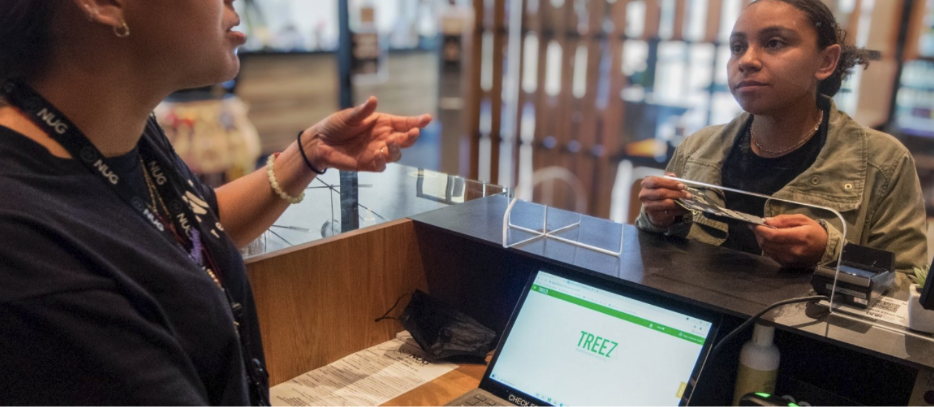
How to get started with TreezPay
The average dispensary sees a 40% increase in average order value, and a 10% increase in revenue year over year after implementing TreezPay solutions.
If you’re ready to boost your revenue and create a more convenient way for your customers to pay for their cannabis products either online or in-store, the Treez team is ready to help. Contact us today for a no-obligation demo, including a free customized quote and an estimate for the return on investment you’ll get after implementing TreezPay.
How to Easily Report Arizona Cannabis Excise Taxes with Treez
It All Begins Here
Published January 3rd, 2022 for Treez (Written without the use of AI)
This article will walk you through some basic information about excise tax requirements for Arizona dispensaries and how to easily fill out your MET-1 Return with Treez.
What is an excise tax?
An excise tax is designed to generate extra revenue for regulating governing bodies and applies to various goods or services. Historically, excise taxes have been imposed on goods or services that legislators have deemed to negatively impact society, like fossil fuels, commercial trucking operations, indoor tanning, alcohol, gambling, and tobacco.
The rules for collecting excise taxes depend on local regulations and the type of good or service sold. When it comes to the cannabis industry, it is no different. Excise tax is generally collected in two ways. Ad Valorem excise taxes are calculated as a percentage of the total sale price of a good or service, whereas specific excise taxes are calculated on a per-unit basis. Most states that sell recreational or medical cannabis use the ad valorem method to collect excise taxes. However, Alaska, California, and Maine levy a specific tax based on the weight of cannabis, and one state, Illinois, calculates excise tax based on the potency of the product sold.
Excise tax can also be collected at different points in the supply chain. For example, the excise tax is collected and submitted by growers and/or processors for those states that enforce a weight-based excise tax. However, for states that use the ad valorem method, the excise tax is charged as a percentage of a total purchase price to the end consumer. Currently, Arizona requires an ad valorem excise tax at a rate of 16% charged at the point of sale.

What is the Marijuana Excise Tax Return (MET-1)?
Arizona now requires dispensaries to submit a Marijuana Excise Tax Return by the 20th of each month for the previous month's sales. This form reports the total excise tax paid on adult-use / recreational marijuana sales and reports all medical and adult-use cannabis inventory changes. You can download the MET-1 form and instructions on using it here.
What is the MET-1 Report Dashboard in Treez, and why use it?
To help your dispensary team with the arduous task of calculating excise taxes for all of your sales in one given month, Treez has developed a report to provide you with all the numbers you need in one easy place.
The Arizona MET-1 Consolidated Categories table of the dashboard looks exactly like the second page of the MET-1 (Inventory Schedule Section II). The dashboard aggregates all of your store’s data so that product types are rolled up into the 3 categories that the Inventory Schedule (Section II) table requires in the Marijuana Excise Tax Return form.
The MET-1 Report dashboard has saved the average Arizona cannabis retailer an average of 8 hours of reporting work every month.
To access the AZ MET Report Dashboard, follow these instructions in our help center then follow the steps below to fill out your Excise Tax Return.

How to fill out your Arizona Marijuana Excise Tax Return (MET-1) with Treez
Find more detailed instructions in our Help Center.
Step 1: Filter for the store, month, and year that you are pulling data for. This is crucial so that the information you export aligns with what is needed for your Marijuana Excise Tax Return.
Step 2: Export the data from the AZ MET Consolidated Categories table.
Step 3: Copy all columns from H to R and paste them into the Inventory Schedule (Section 2) table. All columns from the dashboards that are exported to the left of column H are for your own information.
Step 4: Populate the TPT location code column in the Inventory Schedule (Section 2).
Treez is here to help
We developed the MET-1 Report Dashboard to save your dispensary operations time and effort in reporting to the Arizona Department of Revenue. If you'd like to see this dashboard in action, please request a demo or email contact@treez.io.
If you're a current customer and need help using the MET-1 Report Dashboard, chat with us in-app or reach out to support@treez.io.
How to Boost your Revenue on Green Wednesday and Beyond
It All Begins Here
Written November 12th, 2021 for Treez (Written without AI)
As the holidays approach, so does the 2nd most popular day of the year to buy cannabis products, also known as Green Wednesday. The day before Thanksgiving, or Green Wednesday, has traditionally been the second-highest dispensary sales day of the year besides 4/20.
Last year, Green Market Report reported an average of 80% increase in daily dispensary sales in 2020 on Green Wednesday. The following Black Friday also saw a 75% increase in sales. This behavior could be due to preparation for less-than-sober family get-togethers, changes in the weather, or other reasons. No matter the cause, it's a clear opportunity for retail cannabis operations to seize and boost end-of-year sales.
This article will share features in SellTreez and AskTreez that you can use this holiday season to boost sales and streamline operations for the best possible customer experience.
Create a fast check-in experience
Did you know that SellTreez comes with a mobile app (can be used on either an iPhone or iPad) designed to speed up your customer intake process? It's called SellTreez Customer Management, available for download in the App Store. Quickly check-in returning customers by either scanning their ID directly or searching your customer database. Give your budtenders the ability to create an experience tailored to your customer's needs. Have their purchase information and documents front-and-center so that they can better upsell and recommend products. When it comes to the actual day of Green Wednesday, easily manage your queue for a smooth customer flow. Keep track of customer wait times, and simply swipe to remove customers.
Stock up for the holidays with data-driven insights
AskTreez gives your Inventory Purchasing Managers the insights and data they need to stock up your store for the holiday season effectively. AskTreez connects dispensaries and vendors to the most accurate, real-time market trends and dispensary analytics available. Specifically, the AskTreez "Market" tab allows you to search purchasing trends across your market by a wide range of categories. So let's go through the most relevant dashboards to help you make inventory purchasing decisions in a little more depth.
The Market Basic option provides a general overview of your state-wide cannabis market in real-time. This view of AskTreez has cards like "Market Share by Gross Receipts" and "Market Share By Units Sold" so you can review consumers' purchasing habits, monitor the growth of your competition, and track market changes in near real-time.
The Market Basket Affinity option allows you to find various brand associations within our market data. This report works by looking at combinations of brands that occur together frequently in transactions. Use this dashboard to identify consumer patterns or observe how the purchase of one brand will affect the purchase likelihood of another brand (or even the same brand).
The Market Demographics Dashboard highlights basic and advanced demographic data to quickly compare regions and counties by product type, gender, price points, and more. With this dashboard, you can identify where your competition is most prevalent and recognize consumer profile patterns.
The Market Penetration Dashboard highlights how well a brand or product is distributed in the market and its overall selling potential. By looking at various metrics such as All Commodity Volume (ACV), % ACV, and Velocity Gross Receipts, we can provide a snapshot of how a brand or product impacts the stores they are in and vice versa.
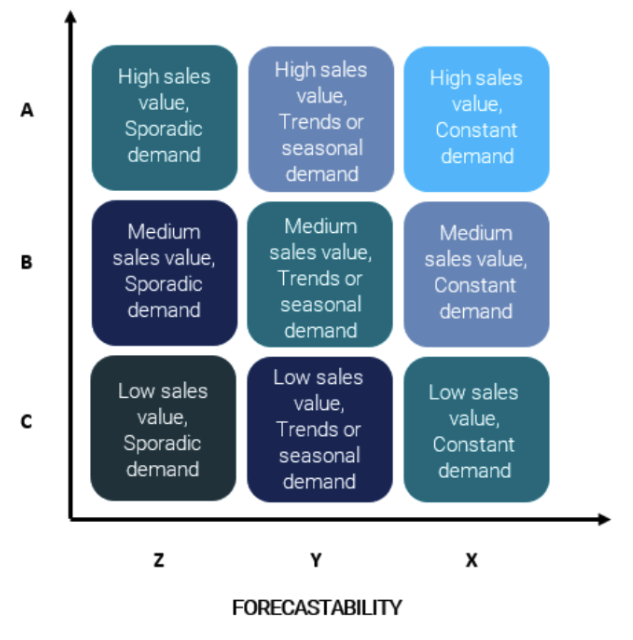
The Market Product Performance Dashboard is our take at bringing the ABC/XYZ analysis to the cannabis world. The ABC/XYZ analysis is a method of classifying products according to their revenue value and volatility of demand, meaning individual products are grouped by how much money they bring into your shop (ABC) and how steady their demand is (XYZ).
The Market Retention Dashboard gives you insight into how likely a customer will repurchase the same brand after a matter of months and how that frequency changes over time. On this dashboard, we present two grids to compare two brands and their customer retention percentages.
The Market THC Dashboard allows you to analyze THC potency as it correlates with product attributes. We provide a high-level look at various products across multiple brands with similar THC %, post-tax price points by SKU, and unit sales history.
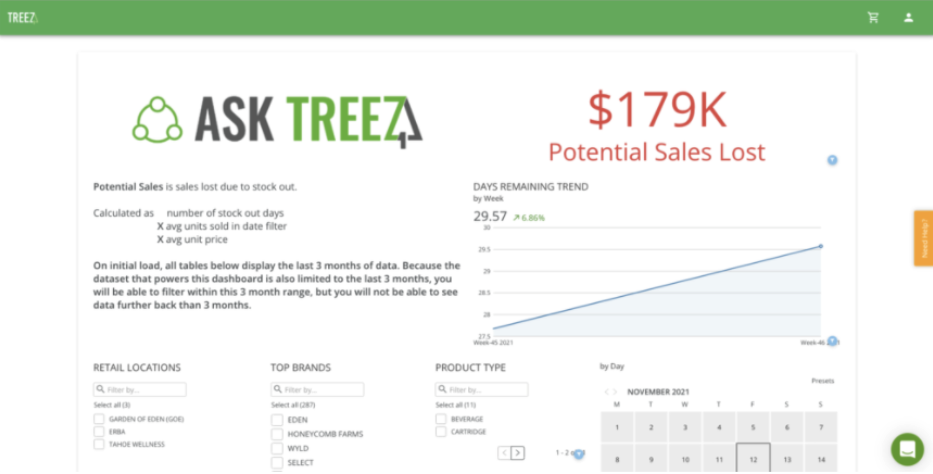
The "Inventory" tab in AskTreez equips you with three different dashboards about your store's inventory. It identifies current opportunities for improvement to boost revenue for Inventory Managers. The Brand Inventory Levels Dashboard provides a near real-time window into your operation. It enables you to manage all the moving parts. By default, this dashboard displays data for the last 90 days. However, the date filter can analyze inventory movement over a select period. This dashboard can:
Track inventory levels across all locations
Identify your top-selling items and breadwinner products
Forecast your inventory based on recent sales trends
Monitor potential sales lost or gained due to inventory management skills
Much like the Market Product Performance dashboard, Brand Product Performance under the inventory tab uses ABC/XYZ analysis to classify products in your store according to their revenue value and demand volatility. Individual products are grouped by how much money they bring into your shop (ABC) and how steady their demand is (XYZ).
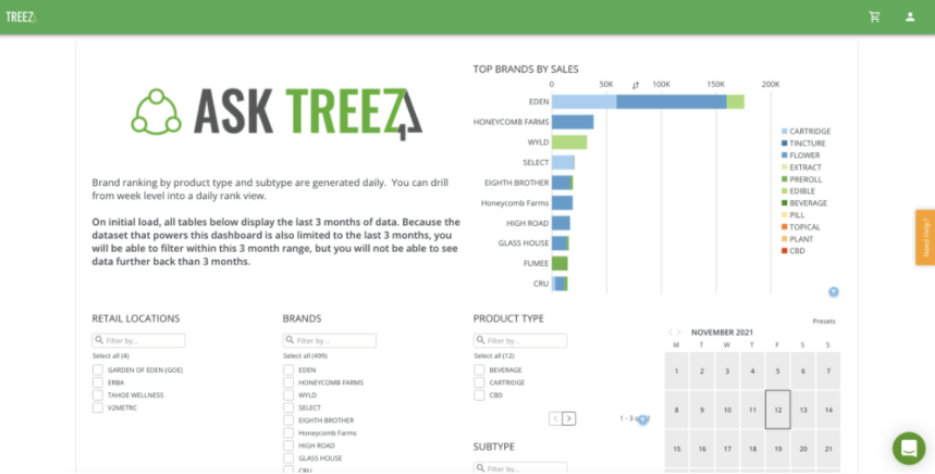
The Brand Ranking dashboard highlights a brand's ability to generate your shop revenue based on either Product Type or Subtype. Depending on its contribution to overall sales to either category, we give each brand a daily ranking and use that data to generate the brand's weekly rating.
You can use this dashboard to:
Monitor a particular brand's health
Identify opportunities to run campaigns for specific brands
Compare brand sales across the same product type and/or subtype
Make shopping and paying more convenient
We all have a lot to get done during the holidays, so offering a flexible shopping experience is key to winning more business during this time. SellTreez Pay provides three different options for cashless payments that add convenience to the cannabis retail shopping experience.
ACH Payments for e-commerce allow you to take payments digitally for online and delivery orders. This option integrates with the most popular cannabis e-commerce platforms today so that your customers can order their cannabis online and pay online.
PIN Debit Payments allow your customer to pay for in-store, curbside, or delivery orders directly from their debit card. Bonus! This method of cashless payments also allows an added tip to the transaction for your hard-working budtenders.
Cashless ATM transactions are similar to PIN Debit payments in that funds are pulled directly from your customer's debit card. However, be aware that this option acts just as a physical ATM and pulls funds in $10 increments, and also charges a small fee per transaction, just as an ATM does.
Get the most out of Green Wednesday
As your team prepares for Green Wednesday and the holiday shopping season in general, these tools available in SellTreez, SellTreez Pay, and AskTreez will help increase profits as well as consumer satisfaction.If you need additional help using any of the tools mentioned in this article, please reach out to support@treez.io, or utilize the in-app chat feature to talk with our team. If you'd like to learn more about SellTreez, AskTreez, and any other part of the Treez platform, book some consultation time with our team for a personalized demo.